
Cybersecurity Architecture: Five Principles to Follow (and One to Avoid)
If your security feels like random tools, random alerts, and random invoices—this is why. A solid cybersecurity architecture gives your business a plan: what you protect, how you protect it, and how you prove it.
What cybersecurity architecture actually means
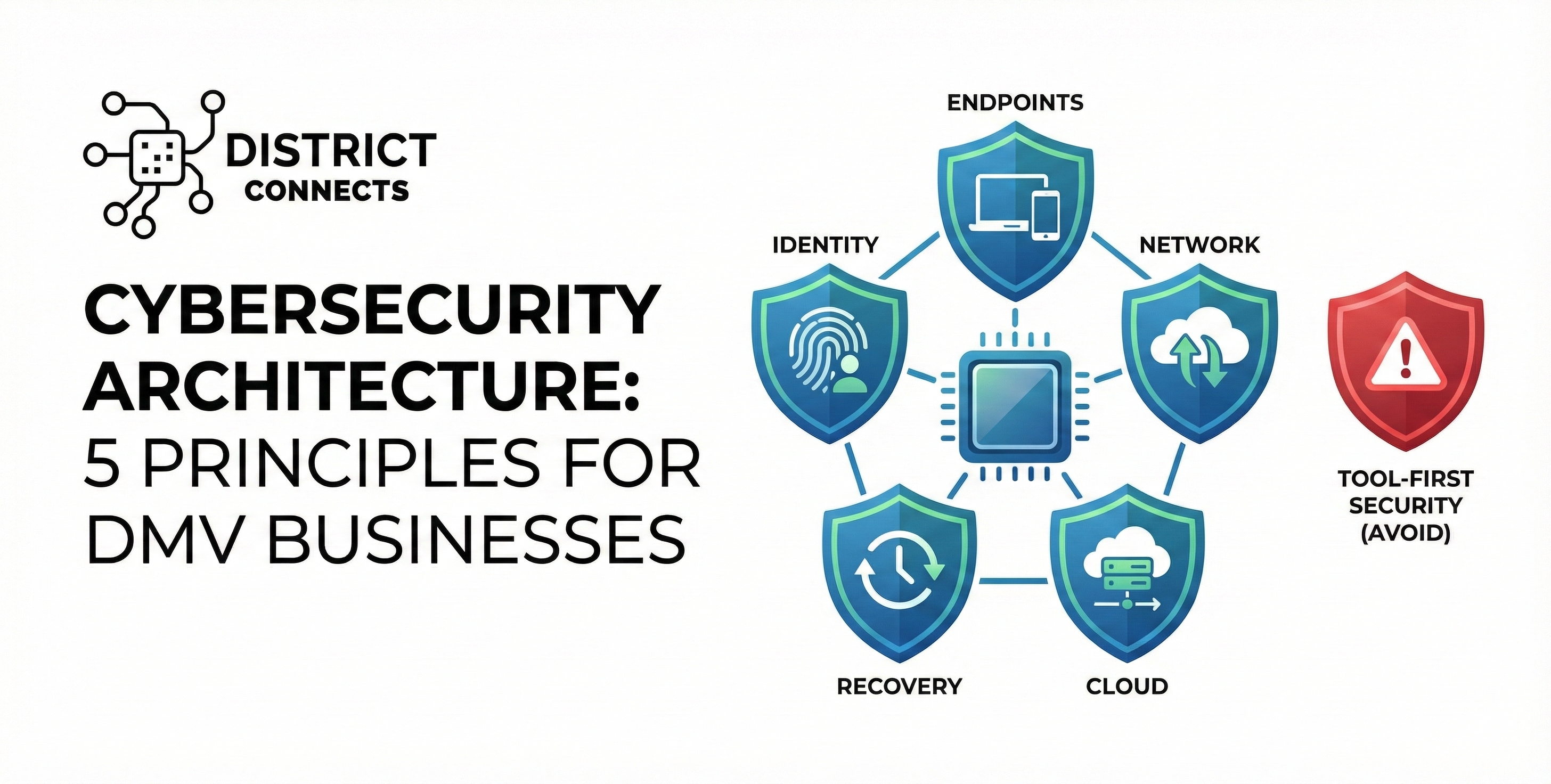
Cybersecurity architecture is the blueprint behind your defenses—how identity, endpoints, email, network, cloud, and backups work together to reduce risk. It’s not a single product. It’s a design.
Simple rule: Architecture answers “how does this prevent or contain damage?” Tools alone don’t.
For many businesses in the DMV (Northern Virginia, Washington DC, and Maryland), architecture becomes critical as soon as you add Microsoft 365, remote access, cloud apps, multiple locations, guest Wi-Fi, VoIP phones, or compliance requirements.
Common architecture gaps we see in Northern Virginia & DC
- “Admin everywhere” in Microsoft 365 (no MFA enforcement, no conditional access)
- Flat networks (POS, office PCs, cameras, and guest Wi-Fi all on one VLAN)
- No centralized logging or alerting—only “antivirus popups”
- Backups exist… but restore has never been tested
Security that survives real incidents
- Identity controls stop stolen logins from working
- Segmentation prevents one device from infecting everything
- Monitoring catches abnormal behavior early
- Recovery is rehearsed, fast, and predictable
Principle 1: Identity is the new perimeter
Most modern breaches start with access: stolen passwords, session hijacking, MFA fatigue, or a compromised mailbox. Your architecture should treat identity as the main control point.
Build it this way:
- Enforce MFA for all users (not optional, not “later”).
- Use role-based access (admins have separate accounts, least privilege).
- Conditional access policies (block risky logins, require compliant devices).
- Modern email protection (phishing controls + mailbox auditing).
DMV note: If you support clients in Fairfax, Arlington, Alexandria, Tysons, Reston, Herndon, Bethesda, or Silver Spring, identity-first controls are the fastest way to reduce “silent compromise” risk in Microsoft 365-heavy environments.
Principle 2: Reduce the attack surface by default
Architecture isn’t only “blocking bad.” It’s also removing unnecessary exposure so there’s less to attack. This is the “tighten the doors and windows” principle.
Practical wins:
- Disable legacy authentication where possible (older protocols attackers love).
- Standardize device baselines (patching, encryption, local admin control).
- Remove unused remote access paths (open RDP, random port forwards).
- Control third-party integrations and app permissions.
If your business spans multiple sites across Northern Virginia, Washington DC, and Maryland, reducing exposure becomes more important—because every location multiplies your risk.
Principle 3: Segment networks like you mean it
Flat networks are how small incidents become big incidents. Network segmentation limits the blast radius—especially for POS systems, VoIP, cameras, guest Wi-Fi, and IoT devices.
Architecture pattern we use often:
- Business LAN (office PCs + servers)
- POS / Payments (locked down, minimal outbound)
- VoIP (QoS + controlled outbound)
- CCTV / IoT (restricted, no lateral movement)
- Guest Wi-Fi (internet-only)
For restaurants, clinics, and retail in the DMV, segmentation is one of the highest ROI changes because it supports both security and compliance expectations.
Principle 4: Assume compromise and detect fast
Strong architecture assumes that something will eventually slip through. Your goal is to detect it quickly and contain it before it becomes ransomware, fraud, or operational downtime.
What to design for:
- Centralized logs (identity, email, endpoints, firewall, key servers)
- Actionable alerts (failed login spikes, impossible travel, mass file changes)
- Endpoint protection with behavior detection (not just signatures)
- Defined containment steps (disable account, isolate device, block C2 traffic)
If you’re operating across Northern Virginia, Washington DC, and Maryland with small internal teams, detection needs to be simple, prioritized, and backed by an incident playbook.
Principle 5: Make recovery a design requirement
Prevention and detection matter—but recovery is what determines business survival. If you can’t restore quickly, attackers still win (even if you “caught it”).
Recovery-first architecture includes:
- Backups that are isolated (immutable or offline options)
- Separate admin access for backup systems
- Documented restore steps for your critical apps
- Quarterly restore testing (not just “backup succeeded” emails)
In the DMV, downtime is expensive—especially for medical offices, law firms, and restaurants. Recovery planning turns a “disaster” into an “incident.”
One principle to avoid: “Tool-first security”
Here’s the trap: buying tools before designing the architecture. Tool-first security creates overlapping costs, confusing alerts, and major gaps—because nothing is coordinated.
Tool-first symptoms:
- Multiple products doing the same job (and still missing basics)
- No defined “who responds” when alerts happen
- Security settings left at defaults
- Random exceptions (“just allow it”) that become permanent holes
A better approach: decide the controls you need (identity, segmentation, detection, recovery), then select tools that support those controls—and integrate them.
DMV implementation checklist: what to do first
If you’re a growing business in Northern Virginia, Washington DC, or Maryland, start with these steps in order:
- Lock identity: MFA + least privilege + conditional access.
- Harden endpoints: patching, encryption, remove local admin, EDR.
- Segment the network: POS/VoIP/CCTV/Guest separated + controlled rules.
- Centralize logs: pick a single place to see “what happened.”
- Fix recovery: immutable backups + tested restores.
This sequence produces measurable risk reduction quickly without overwhelming your staff.
Need a cybersecurity architecture plan for your business?
DistrictConnects designs layered security for businesses across the DMV—Northern Virginia, Washington DC, and Maryland. If you want a practical roadmap (not fear-based selling), we can assess your environment and prioritize the right controls.
Helpful next steps: Cybersecurity Services • Managed IT Services • Business Firewall & Network Security • CCTV & Physical Security
FAQs: Cybersecurity architecture
Is cybersecurity architecture only for large companies?
No. Small and mid-sized businesses in the DMV often need architecture even more—because a single incident can cause major downtime. Architecture is simply a prioritized plan for identity, devices, network controls, monitoring, and recovery.
What’s the fastest improvement with the biggest impact?
Identity controls (MFA + least privilege + conditional access) usually deliver the fastest risk reduction, especially in Microsoft 365 environments.
Do we really need network segmentation if we have antivirus?
Yes. Antivirus/EDR helps on endpoints, but segmentation prevents a compromised device (or IoT/camera/POS) from moving laterally to other systems. It limits the blast radius.
How do we know our backups will work during ransomware?
You test restores on a schedule and design backup access separately from daily admin accounts. Immutable/offline options are strongly recommended for ransomware resilience.
What should a DMV business budget for “good architecture”?
It depends on user count, locations, compliance needs, and risk profile. The key is buying controls in the right order and integrating them—so you don’t overpay for tools that don’t reduce real risk.