Every Unmanaged PC Is an Open Door.
Here’s How to Close It.
What Is a Managed PC – and What Does It Include?
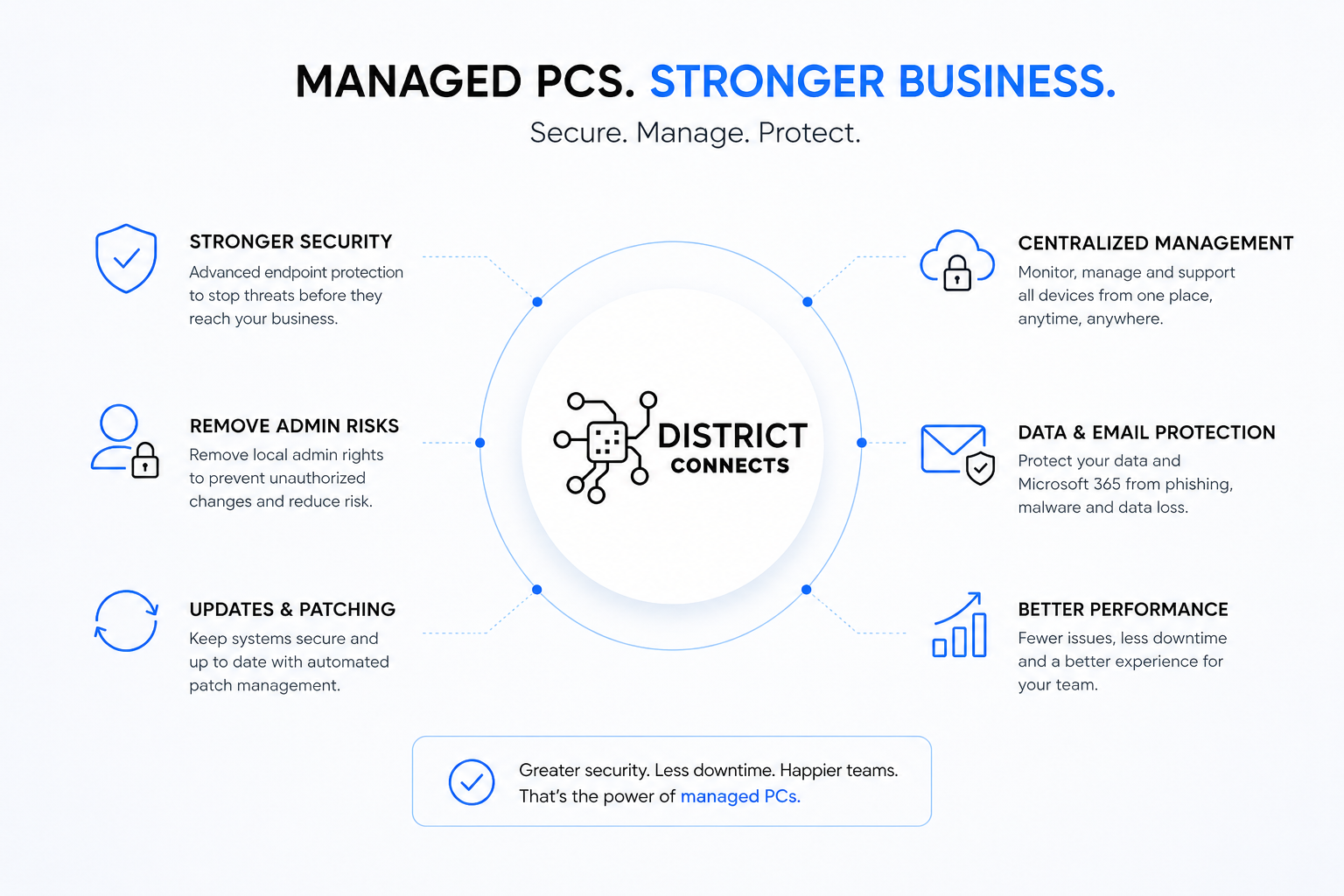
A managed PC is a company-controlled computer monitored, secured, updated, and maintained by a professional IT provider using centralized management tools. Instead of employees independently managing their own devices, every machine in the business operates under consistent security and operational standards.
Why Local Administrator Rights Are a Critical Risk
Most businesses grant local administrator rights to employees because it’s convenient – users can install software, update drivers, and fix issues without calling IT. What those businesses don’t realize is that they’ve also granted the same rights to every piece of malware those users might encounter.
“When a user is a local administrator, ransomware is too. One phishing click, and it has everything it needs to disable your antivirus, encrypt your files, and spread across the network.”
The Three Risks of Unrestricted Admin Rights
These aren’t theoretical risks. They’re the situations we’re called in to remediate regularly across Northern Virginia, DC, and Maryland.
Ransomware and Malware Gain Immediate Elevated Access
When employees have local administrator privileges, any malware they run – from a phishing attachment, a malicious download, or a compromised website – inherits those same privileges. Ransomware with admin rights can disable endpoint protection, delete shadow copies (making backup recovery impossible), encrypt files across mapped network drives, and spread laterally to other systems on the network. Without admin rights, the same malware is significantly constrained – it may execute, but it can’t escalate, can’t disable security tools, and can’t spread. Removing local admin rights is one of the highest-leverage security controls available, and it costs nothing to implement.
Unauthorized Software Creates Hidden Vulnerabilities
Employees install unapproved applications, browser extensions, remote access tools, and personal software without understanding the security implications. Each unauthorized installation is a potential vulnerability – an outdated version of software with known exploits, a browser extension with excessive permissions, or a remote access tool that an attacker can later abuse. Managed PCs give businesses complete visibility and control over what’s installed on every device. Software requests go through IT, are evaluated for security and compatibility, and are deployed centrally – eliminating the shadow software problem entirely.
Well-Intentioned Users Accidentally Break Systems
Employees are not trained IT administrators. Even careful, well-meaning staff accidentally remove critical software, disable security settings, modify network configurations, install incompatible drivers, or introduce operating system instability – all with the best intentions. The result is a stream of support tickets, unexpected downtime, and productivity loss that consumes IT time and drives up support costs. Managed endpoints prevent these self-inflicted problems by locking down the configurations that matter while preserving the flexibility users need for their actual work.
The Principle of Least Privilege – The Standard Every Insurer Requires
The Principle of Least Privilege (PoLP) is the cybersecurity concept that employees should only have access to the systems and permissions necessary to perform their specific job functions – nothing more. It’s not about distrust. It’s about limiting the blast radius of any single compromised account or mistaken action.
In practice, this means software installation requests go through IT approval. Administrative tasks use temporary privilege elevation rather than permanent admin accounts. Software is deployed centrally rather than installed by users. Device activity is monitored continuously. This approach balances productivity with meaningful security – and it’s now a baseline requirement for cyber insurance coverage across every major carrier.
Why This Matters for Every Business Size
Small businesses often assume that managed endpoint security is only necessary for large enterprises. The opposite is true. Small and mid-sized businesses are disproportionately targeted because attackers know they typically have fewer protections in place. A single ransomware attack on an unmanaged endpoint can shut down operations, encrypt all company files, disrupt customer services, and cause financial and reputational damage that takes months to recover from.
For multi-location businesses across Northern Virginia, DC, and Maryland, the challenge is compounded. Without centralized device management, every office develops inconsistencies – different software versions, different security configurations, different patch levels. Troubleshooting becomes harder, security gaps multiply, and a compromise at one location can spread to others. Centralized managed IT closes all of these gaps simultaneously.
What Managed PCs Deliver for Your Business
Four concrete operational improvements – beyond just security.
Compliance and Cyber Insurance Requirements
Modern cyber insurance carriers and compliance frameworks – including HIPAA, NIST, and SOC 2 – increasingly require businesses to implement endpoint management, least privilege access, MFA, patch management, and device encryption as baseline controls. Allowing unrestricted local administrator access can increase premiums, cause audit failures, and result in denied claims after a cyber incident if the breach exploited privileges that should have been restricted. For businesses in healthcare, legal, financial services, and government contracting across the DMV, these requirements aren’t optional. See our full cyber insurance requirements guide for the complete list of controls insurers now mandate.
Is Every PC in Your Business Actually Managed and Secured?
DistrictConnects provides managed endpoints, least privilege enforcement, endpoint protection, and proactive IT management for businesses across Northern Virginia, DC, and Maryland.
Serving Northern Virginia · Washington DC · Maryland
Frequently Asked Questions
What Is a Managed PC?
A managed PC is a company-controlled computer monitored, secured, updated, and maintained by a professional IT provider using centralized management tools. Managed PCs include endpoint detection and response, automated patch management, device encryption, backup protection, Microsoft 365 integration, and security policy enforcement – ensuring consistent protection across every device in the organization regardless of where it’s located or who uses it.
Why Should Businesses Remove Local Administrator Rights?
When employees have local administrator rights, malware inherits those same privileges the moment it executes. Ransomware with admin rights can disable antivirus, delete backups, encrypt files across the network, and spread to other systems. Without admin rights, the same malware is significantly constrained – it may run, but it can’t escalate or spread. Removing local admin rights applies the Principle of Least Privilege and is one of the highest-leverage, lowest-cost security controls available to any business.
What Is the Principle of Least Privilege?
The Principle of Least Privilege (PoLP) is the security concept that employees should only have access to the systems and permissions necessary for their specific job – nothing more. Instead of permanent admin access, businesses use IT-approved software deployment, temporary privilege elevation for specific tasks, and centralized device management. This limits the damage any single compromised account or mistaken action can cause – and it’s now a baseline requirement for cyber insurance coverage across all major carriers.
Do Small Businesses Need Managed PCs?
Yes – and small businesses often need them more than large enterprises. Attackers specifically target small and mid-sized businesses because they typically have fewer endpoint controls in place. A single ransomware infection on an unmanaged PC can shut down an entire small business operation. Managed PCs give smaller organizations the same endpoint security posture as enterprise IT departments – without requiring a full internal IT team to maintain it.
Can Unmanaged PCs Affect Cyber Insurance Coverage?
Yes. Cyber insurance carriers now require endpoint management, least privilege access, MFA, patch management, and device encryption as conditions of coverage. Unmanaged endpoints with unrestricted local admin rights can increase premiums significantly, cause compliance audit failures, and result in denied claims after a breach – particularly if the attack exploited admin privileges that should have been removed. Addressing endpoint management before your renewal is significantly easier than addressing it after a denial.
How Does DistrictConnects Manage Business Endpoints?
Through our managed IT services in Northern Virginia, DC, and Maryland, DistrictConnects deploys and maintains managed endpoints using Microsoft Intune for device compliance, EDR for threat detection and response, automated patch management, BitLocker encryption, and centralized security policy enforcement. We remove local admin rights, establish IT-approved software deployment workflows, and monitor every managed device proactively. Our remote monitoring and support team is available to respond when issues arise – before they become business disruptions. Contact us to get started.